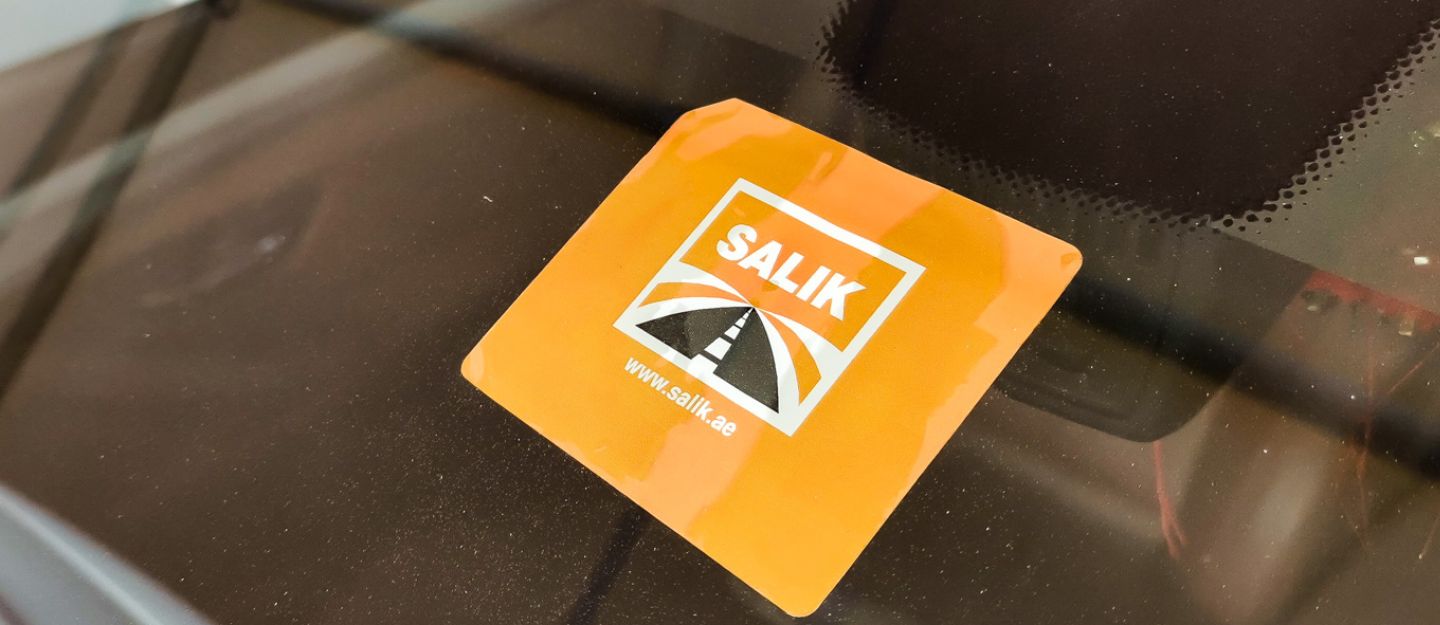
Dubai’s road network is supported by advanced systems designed to ensure smooth and efficient traffic flow. One essential part of driving in the city is understanding how to buy a Salik tag in Dubai and use it correctly. In 2007, Dubai’s Roads and Transport Authority (RTA) introduced the Salik toll system to improve traffic flow across the city. Using RFID technology, Salik allows vehicles to pass through toll gates without stopping, automatically deducting the toll fee from a prepaid account. To use the system, every vehicle must have a valid Salik tag installed on the windscreen.
How to Get Your Salik Tag
There are multiple locations for purchasing a Salik tag, making the process convenient for both residents and visitors.
Ways to Buy a Salik Tag
You can purchase a Salik tag through:
- The official Salik website
- Careem app (via Quick Groceries)
- Petrol stations:
- Emarat
- EPPCO
- ENOC
- ADNOC
- Authorised sales agents
These options act as key Salik tag selling centres in Dubai, ensuring easy access across the city. Vehicles registered outside the UAE can only purchase Salik tags through authorised sales agents.
Cost of a Salik Tag
Here’s a breakdown of the costs for purchasing a Salik tag, whether online or in person:
- Online purchase: AED 120
- AED 50 (tag)
- AED 50 (prepaid balance)
- AED 20 (delivery fee, inclusive of VAT)
- In-person purchase: AED 100
- AED 50 (tag )
- AED 50 (prepaid balance)
*From July 1st, 2026, 5% VAT applies to the Salik tag. The total amount charged will be AED 52.50.*
Requirements
To purchase a Salik tag online, you need:

- A valid mobile number ( for communication and OTP verification)
- Vehicle registration card details
Purchase and Activation Process
Understanding the Salik tag registration process helps ensure a smooth setup.
Through Website:
- Enter the required details
- Verify mobile number via SMS (OTP)
- Provide the delivery address
- Complete the payment
- Receive SMS confirmation
- Tag is automatically activated
Through the Careem App:
- Log in and search for the Salik tag
- Complete the purchase and payment
- Receive the tag
- Activate it via:
- Salik website
- RTA Dubai app
- Salik Smart app
- Salik call centre (800 SALIK)
Through Petrol Stations:
- Purchase the tag
- Activate it before first use through:
- Salik website
- RTA Dubai app
- Salik Smart app
These petrol stations also function as convenient Salik tag outlets in Dubai, especially for quick in-person purchases.
Delivery and Processing Time
Know the delivery and processing times so you can start using your Salik tag without delays.
- Online processing time: around 5 minutes
- Delivery time: up to 5 working days
- In-person purchase time: around 5 minutes
Important Activation Rules
Before you start driving through toll gates, it’s essential to know the key activation rules for your Salik tag:
- The tag must be activated before your first trip through the Salik toll gates
- If you pass a toll gate without activation, you must:
- Purchase and activate a tag within 10 working days to avoid fines
- Tags purchased online are usually activated after payment confirmation via sms
- Tags purchased in person must be activated manually
Once installed correctly on the windscreen, toll charges are deducted automatically as you pass through Salik gates.
How to Recharge Your Salik Account

Each time you pass a toll gate, AED 4 is deducted from your account, making it essential to check Salik balance frequently to prevent any fines.
Salik has introduced a variable toll system that adjusts rates based on the time of day:
Regular Days (excluding Ramadan):
- Peak hours (6:00 AM – 10:00 AM & 4:00 PM – 8:00 PM): AED 6 per crossing
- Off-peak hours (10:00 AM – 4:00 PM & 8:00 PM – 1:00 AM): AED 4 per crossing
- Late night (1:00 AM – 6:00 AM): No charge
- Sundays (excluding public holidays and events): AED 4 throughout the day, except late-night hours, which remain free
During the holy month of Ramadan:
- Peak hours (9:00 AM – 5:00 PM): AED 6 per crossing
- Off-peak hours (7:00 AM – 9:00 AM & 5:00 PM – 2:00 AM): AED 4 per crossing
- Late night (2:00 AM – 7:00 AM): No charge
Additionally, if you pass through Al Safa North and South toll gates or Al Mamzar North and South toll gates in the same direction within one hour, you will only be charged once.
*As of July 2026, 5% VAT is applicable on Salik toll charges.
Ways to Recharge Your Salik Account
You can recharge your Salik account through:
- Banks
- Kiosks
- Salik website
- RTA website
- RTA app
- Salik Smart app
- Recharge cards
FAQs
Where can motorists buy a Salik tag in Dubai?
Motorists can buy a Salik tag online, through petrol stations (Emarat, ENOC, ADNOC) or authorised sales agents.
Can drivers purchase a Salik tag online?
Yes, drivers can purchase a Salik tag online via the official Salik website or mobile apps.
How much does a Salik tag cost in Dubai?
A Salik tag costs AED 100 in person and AED 120 online, including delivery charges.
What documents are required to buy a Salik tag?
A valid mobile number and vehicle registration card details are required.
Whether you’re buying a new or used car, getting a Salik tag is an essential step for driving smoothly in Dubai. Since the tag is linked to an individual’s traffic file number, Salik account and specific vehicle registration details, it cannot be transferred from a previous owner, making it necessary to register your own tag. With multiple purchase options and a straightforward setup process, you can be ready to pass through toll gates without any hassle.
If you’re in the market for a vehicle, check out some used cars for sale in the UAE to find your perfect ride and get your Salik tag ready at the same time.
Keep reading dubizzle’s auto blog to learn more about Salik and stay updated on traffic rules, tolls and vehicle tips.
Related Posts