The BMW key fob is more than just a device to lock and unlock your car. It has come a long way, integrating advanced technology that enhances driver’s convenience and security. Let’s explore the different types of BMW key fobs, their features, troubleshooting tips and how to upgrade your key experience. Whether you’re a long-time BMW owner or new to the brand, we will provide valuable insights.
Types of BMW Key Fobs
The BMW key fob isn’t just a functional accessory; it’s a reflection of the brand’s commitment to innovation and design. From the iconic BMW logo prominently displayed on the key fob to its sleek and ergonomic design, it embodies the same attention to detail and craftsmanship found in BMW vehicles.
Modern BMW vehicles come equipped with a sophisticated key fob, showcasing the evolution of car keys with a blend of advanced technology and luxury. Here are the main types:
Traditional Key Fob
The classic BMW key fob allows remote locking and unlocking of your vehicle. It typically includes buttons for trunk release and a panic alarm. BMW car history reveals that the key fob has evolved significantly over the years, reflecting the brand’s commitment to innovation and cutting-edge technology. It later introduced digital and display key fobs.
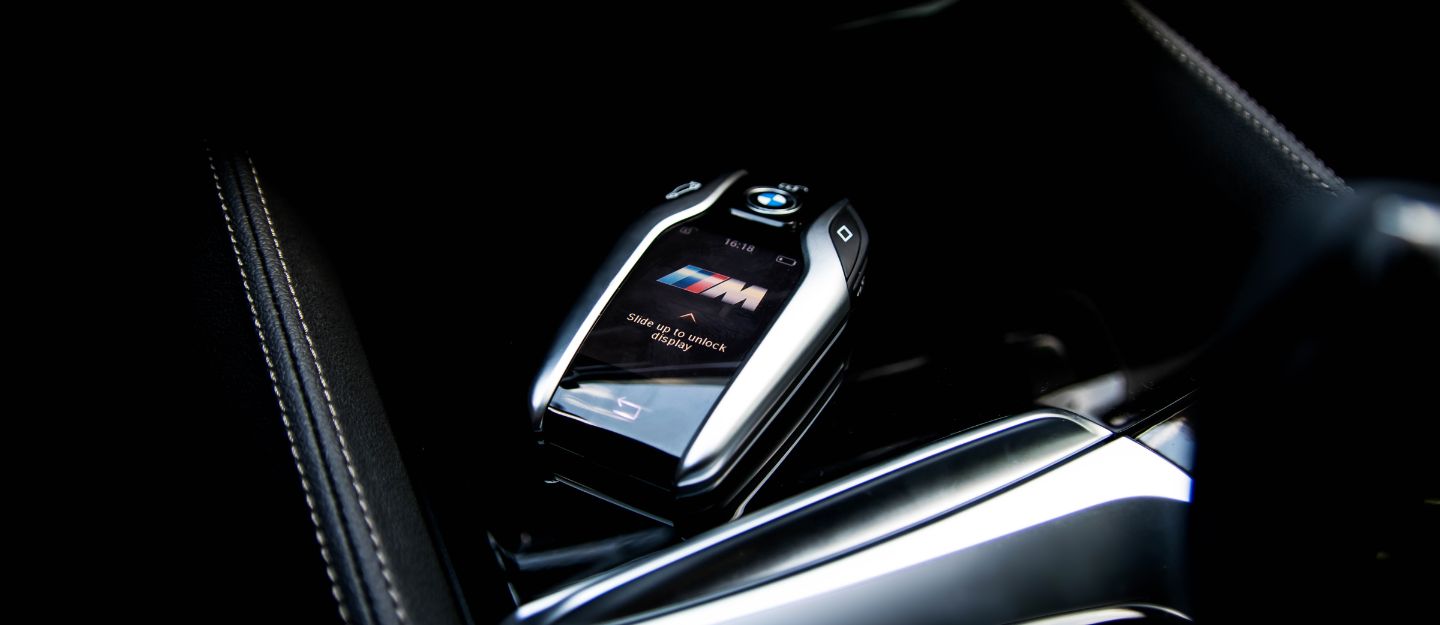
Display Key
Introduced with the BMW i8, the display key features a 2.2-inch LCD screen that provides real-time information such as fuel levels and battery status. One of the main features of the BMW Display Key is that Users can interact with it via a touchscreen interface, similar to smartphones.
Digital Key
The BMW Digital Key allows you to use your smartphone or smartwatch as a key. This feature supports remote locking/unlocking and engine start without handling a physical key.

Keyless Entry (Comfort Access)
With Comfort Access, you can unlock and start your vehicle without removing the key fob from your pocket or bag. Proximity sensors detect when you are nearby, making access seamless. You can also use these tips to retrieve car keys if locked inside.
Key BMW Key Fob Features
Here are the key features that make the BMW key fob an essential and smart accessory for your vehicle:
- Window Control: Press and hold the unlock or lock button to open or close your car’s power window, allowing for quick ventilation or securing your vehicle.
- Automatic Mirror Folding: Lock the car to fold the side mirrors automatically. For some models, enabling this feature may require additional coding.
- Keyless Engine Start for E-Series: In E-Series models, you can start the engine by pressing the start button again after removing the key.
- Remote Engine Start: Available on select G-Series models, this feature lets you start the engine remotely using specific key fob actions after enabling it in the iDrive system settings.
- Motion Detector Disable: Press the lock button twice to temporarily deactivate motion sensors—ideal when leaving pets or passengers inside the car.
- Driver Profile Memory: Each key fob can store personalised driver settings, such as seat positions, mirror adjustments and climate preferences, for a tailored experience.
- Trunk Access: The fob has a dedicated button for the trunk. On certain models, a long press will open or close the powered trunk lid.
- Customisable Buttons: Some models allow you to customise the BMW key fob’s functions. For instance, you can set it to open just the driver’s door or all doors with a single press.
Troubleshooting BMW Key Fob Issues
Encountering problems with your BMW key fob? Here are some common issues and easy troubleshooting steps to get things back on track:
Unresponsive Key Fob
If your key fob isn’t responding, it may be due to a drained battery. Replace the battery or recharge it if applicable.
Short Range
A diminished range might indicate a weak battery or signal interference from other electronic devices. Consider changing the battery or moving away from potential interference sources.
Button Malfunction
Dust and debris can affect button functionality. Cleaning the fob may resolve minor issues; however, persistent problems should be addressed by a professional locksmith.
Battery Replacement
If your fob stops working, it might just need a new battery. Most BMW key fobs use a CR2032 battery, which you can replace yourself by following the user manual.
Key Not Detected
Ensure the fob battery isn’t dead and try holding it near the steering column to start the car manually.
Tips for Maintaining Your BMW Key Fob
Here are some simple yet effective maintenance tips to ensure your BMW key fob stays functional and reliable:
- Use a Protective Cover: Protect the fob from scratches and drops with a silicone or leather cover.
- Replace the Battery on Time: A weak battery can lead to performance issues.
- Avoid Water Damage: While some fobs are water-resistant, prolonged exposure to water can cause irreparable damage.
FAQs
How do I program my BMW key fob?
Programming steps vary by model; refer to your owner’s manual for specific instructions.
Can I use my smartphone as a key?
Yes, if your vehicle supports the BMW Digital Key feature, you can use your smartphone as a key.
What to do if the BMW key fob is lost?
If you are thinking about what to do if you lose your car key, contact a professional locksmith or your local BMW dealership for replacement services.
BMW key fobs represent a blend of luxury and technology, offering users convenience and peace of mind regarding vehicle security. From basic functions like locking and unlocking to advanced features like remote park assist and diagnostics, the key fob significantly enhances the ownership experience.
If you are looking for BMW cars with smart key features, check out the listings of these used BMW cars for sale in the UAE.
Besides, you can also visit BMW showrooms in the UAE and find the latest model of your choice.
If you found this guide helpful, consider sharing it with fellow BMW enthusiasts! For more tips on maintaining your vehicle, stay tuned to dubizzle’s auto blog.
Cover Image Credit: Shutterstock Contributor – Gabriel Nica
Related Posts